TikTok Creator Assistant: What TikTok Says It Does and Who Gets It (2026)
TikTok Creator Assistant is a chat tool inside TikTok Studio that TikTok describes as “your very own, personalized account manager.” According to TikTok’s Creator Academy, it offers “detailed performance reviews, platform support, and even editing tips.”
This guide reports what TikTok’s Creator Academy article on Creator Assistant says, as read on October 17, 2026. Availability and eligibility can change, so everything below is a snapshot of TikTok’s own description, attributed to TikTok.
What to know:
- What it is: TikTok says it is “tailored specifically to your needs” and that creators can chat with it directly.
- Where it shows up: TikTok Studio, including the homepage, the Overview tab in Analytics, the video details page and the inbox.
- Markets: the US, CA, MX, KR, BR and JP, per TikTok.
- Follower requirement: for the US and CA, creators must have 10k+ followers, per TikTok.
In this article
What TikTok Creator Assistant Is
TikTok says Creator Assistant offers “tons of helpful insights and suggestions” so creators “can save time searching for answers and focus on your content.” It shows up as a pop-up in TikTok Studio with quick insights into analytics and advice for strengthening content, and creators can click in to read more.
TikTok says the feature also works as a chat: “you can also chat with it directly! Ask any questions about content creation on TikTok, how the platform works, or how to grow, and it will factor in your account details to give you the best answers and actionable tips.”
Where TikTok Creator Assistant Appears
According to TikTok, Creator Assistant pops up in these places in TikTok Studio:
- Your homepage.
- The Overview tab in Analytics.
- The video details page.
- Your inbox: TikTok says that after opening the tool for the first time, it appears in the inbox for chatting “whenever you need.”
For creators using the TikTok Studio app, TikTok says to head to the Overview page in Analytics to start using the feature.
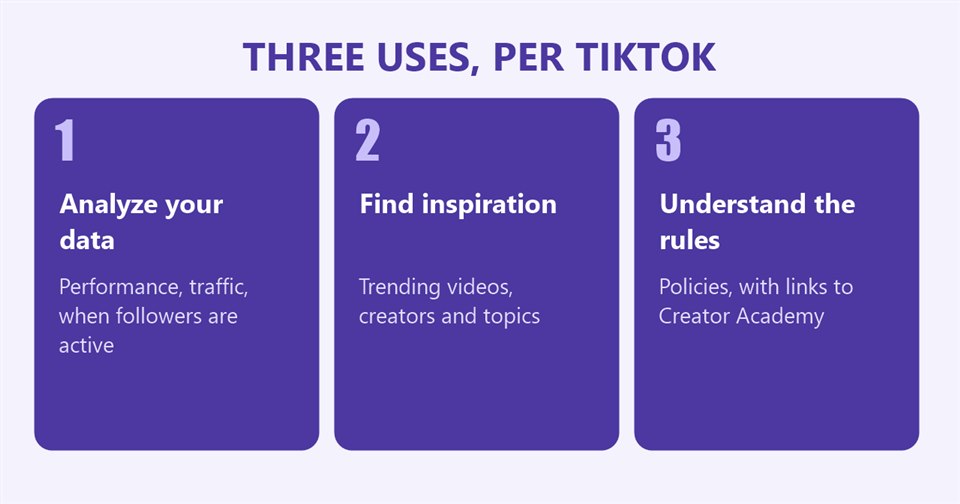
The Prompt Ideas TikTok Lists
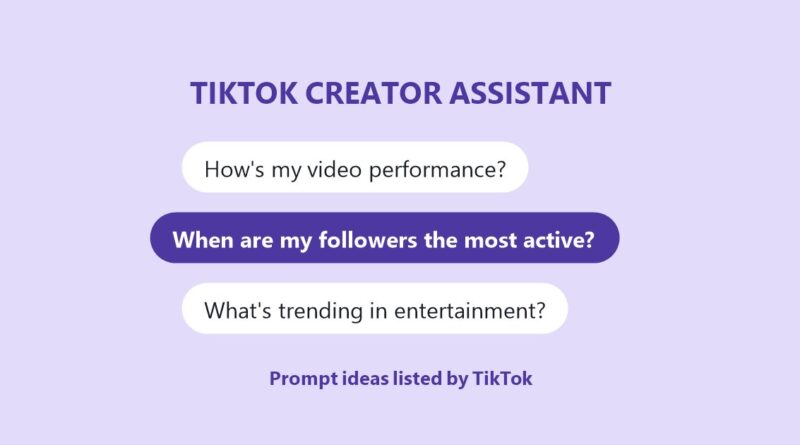
TikTok groups its prompt ideas under three headings. These are TikTok’s examples, quoted as listed.
Analyzing data and optimizing content
TikTok says Creator Assistant can give advice specific to a creator’s niche and content style, whether the goal is more engagement, monetization or understanding analytics. Prompt ideas:
- “What can I do to increase my engagement?”
- “What was my account traffic this month?”
- “How’s my video performance?”
- “When are my followers the most active?”
Finding inspiration
TikTok says that by reviewing a creator’s content and community, the tool can offer customized recommendations for trending videos, relevant creators and popular topics. Prompt ideas:
- “What’s trending in entertainment?”
- “Can you show me videos that are trending right now?”
- “Show me high performers in my niche.”
- “What do my followers like to watch?”
Understanding platform rules
TikTok says that for questions about account status, TikTok’s policies or how the platform works, Creator Assistant will point creators in the right direction, “linking you directly to Creator Academy for more details and advice.” Prompt ideas:
- “What’s TikTok’s Originality Policy?”
- “How can I create high-quality videos on TikTok?”
- “What monetization tools are there on TikTok?”
- “How can I join the Creator Rewards Program?”
Who Can Use TikTok Creator Assistant
TikTok says Creator Assistant “is currently available in the US, CA, MX, KR, BR, and JP.” The requirements differ by market, per TikTok:
- US and CA: creators must have 10k+ followers to access the feature.
- JP, KR, BR and MX: creators can access it if they have posted within the last 30 days.
TikTok adds: “We’re working to make this feature available in more markets, so stay tuned!”
Where TikTok Studio Puts Creator Assistant
Creator Assistant sits inside TikTok Studio, which TikTok’s Creator Academy describes as a hub where creators can “find content inspiration, dive into advanced analytics, keep track of the rewards you collect, and check out TikTok tips and tricks.” TikTok says creators reach it from their profile by tapping the Menu button and then TikTok Studio, or by tapping the TikTok Studio button under their bio. TikTok adds that the button can only be seen by the creator.
TikTok’s page on TikTok Studio in the app lists these sections:
- Analytics: “insights about your account growth, content performance, audience demographics, audience engagement, and more.”
- Creation inspirations: top trending topics, posts and creators, plus recommended posts similar to the creator’s own.
- Monetization center: rewards balance, rewards analytics and monetization program options.
- More tools: Account check, Promote, Benefits and TikTok for Artists.
- Activities: posting campaigns that TikTok says are “designed to help you grow your presence and earn more rewards along the way.”
- Creator Academy: guides, tutorials and tips.
- Settings: options including the video sound copyright check, the Creator Weekly Report and Post Analytics inbox notifications.
The Other TikTok Studio Tools TikTok Lists
TikTok’s page on TikTok Studio in the app describes several tools in the same hub. These are TikTok’s descriptions:
- Account check: “Check to see if your account is in good standing with our Community Guidelines.”
- Promote: “Choose from three strategy options to enhance your exposure on the For You feed.”
- Benefits: “Discover programs that could help you grow as a creator.”
- TikTok for Artists: “Apply for an artist account on TikTok to gain access to innovative tools for promoting music.”
TikTok’s Settings section for TikTok Studio lists further options. Among them: an ad setting that controls whether advertisers can use a creator’s posts in their ads; a video sound copyright check, which TikTok says it “highly” recommends because it “helps keep your videos safe from copyright issues”; a Creation Inspiration setting that lets a creator’s videos be displayed as inspiration for other creators; a currency display option for the Monetization section; and a Creator Spotlight setting that allows TikTok to feature a creator and the monetization programs they have joined.
TikTok also lists a “Submit to Support” option, which it describes as “your direct line to TikTok Support.”
The Analytics TikTok Describes
Several of TikTok’s example prompts for Creator Assistant concern performance data, and TikTok’s separate analytics page describes what that data includes. According to TikTok, creators can select a date range of the last 7 days, 28 days, 60 days, 365 days or a custom report, and can download analytics data for up to 365 days at a time. TikTok describes these tabs:
- Overview: post views, profile views, likes, comments, shares and estimated rewards over the selected range, plus traffic source and search query data.
- Content: “Your top posts,” which shows the 10 top-performing videos over the selected period, with retention rate, traffic sources and viewer information for each.
- Viewers: unique and returning viewers, viewer insights and most active times. TikTok says the gender, age and location statistics “are based on predictive models rather than confirmed user data.”
- Followers: data on who is watching, including gender, age and top locations, and when followers are most active.
- LIVE: the number of LIVEs, total LIVE views, total LIVE time, new viewers, new followers, unique viewers and the number of Diamonds collected.
For individual videos, TikTok defines three metrics in its own words:
- Retention rate: “the percentage of your video that users watched.”
- Average watch time: “the average duration viewers spent watching your content.”
- Watched full video: “your finish rate or the percentage of people who watched your content until the last few seconds.”
This site has covered other TikTok tools from the Creator Academy, including a guide to four TikTok tools for finding video ideas, a guide to music copyright and muted videos and a guide to TikTok account security. This site’s guide to the TikTok Creator Weekly Report covers the report TikTok lists in the same Settings section.
What the Page Does Not Say
- Launch date: the page does not say when Creator Assistant began.
- Accuracy: the page does not describe how answers are generated or checked.
- Data use: the page says the tool factors in account details but does not explain what is used.
- Future markets: no list or timetable is given.
Frequently Asked Questions
What is TikTok Creator Assistant?
Per TikTok, a personalized account-manager tool in TikTok Studio that gives insights, performance reviews, platform support and editing tips, and that creators can chat with directly.
Where is TikTok Creator Assistant available?
TikTok says the US, CA, MX, KR, BR and JP.
Do I need a certain number of followers for TikTok Creator Assistant?
In the US and CA, TikTok says creators must have 10k+ followers. In JP, KR, BR and MX, TikTok says creators who posted within the last 30 days can access it.
Where do I find TikTok Creator Assistant?
TikTok says it appears in TikTok Studio on the homepage, the Overview tab in Analytics, the video details page and the inbox.
Sources: TikTok Creator Academy, Sharpening your strategy with Creator Assistant; TikTok Studio in-app; Introducing TikTok analytics; read October 17, 2026.