TikTok Creator Weekly Report: What TikTok Says Is Inside (2026)
The TikTok Creator Weekly Report is a personalized summary of a creator’s week that TikTok delivers to the inbox, according to TikTok’s Creator Academy. TikTok describes it as “a personalized, all-in-one summary of your week delivered straight to your inbox.”
This guide reports what TikTok’s Creator Academy article on the Creator Weekly Report says, as read on October 17, 2026. TikTok can change features and eligibility, so everything below is a snapshot of TikTok’s own description, attributed to TikTok.
What to know:
- Delivery: automatically every Friday at 00:00 UTC, per TikTok.
- Where: the main TikTok app inbox and the TikTok Studio inbox.
- Who: creators who meet one of two eligibility conditions, listed below.
- Expiry: TikTok says the report “expires and will no longer be viewable after 7 days.”
In this article
What the TikTok Creator Weekly Report Is
TikTok says it built the Creator Weekly Report “based on extensive feedback and testing” and that it is designed “to give you the exact insights you need to build a consistent weekly growth habit, all in one place.” In TikTok’s words, creators otherwise have to juggle multiple tools to track content performance, which can be time-consuming.
The report is described as unique to each creator. TikTok says it does not use “a one-size-fits-all template” and that the report “dynamically adapts to show you the most relevant information based on your actual performance that week.”
When and Where the Creator Weekly Report Arrives
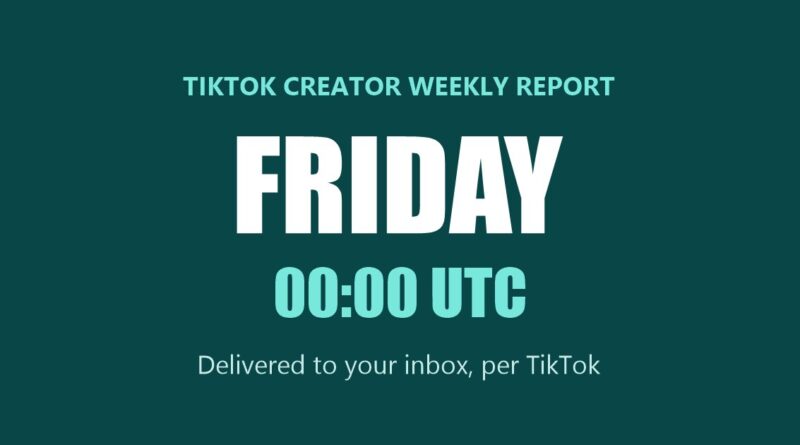
According to TikTok, the TikTok Creator Weekly Report “is delivered automatically every Friday at 00:00 UTC.” It appears “directly in your main TikTok app inbox as well as your TikTok Studio inbox.”
TikTok adds a note that the report “is a snapshot of the moment” and that “it expires and will no longer be viewable after 7 days.” TikTok’s page says to check it every weekend.
Who Gets the TikTok Creator Weekly Report
TikTok lists two conditions. A creator receives the weekly summary by meeting either one:
- 1,000 or more followers and a public video posted in the last 7 days.
- TikTok Studio opened in the last 30 days and a public video posted in the last 7 days.
What Is Inside the Creator Weekly Report
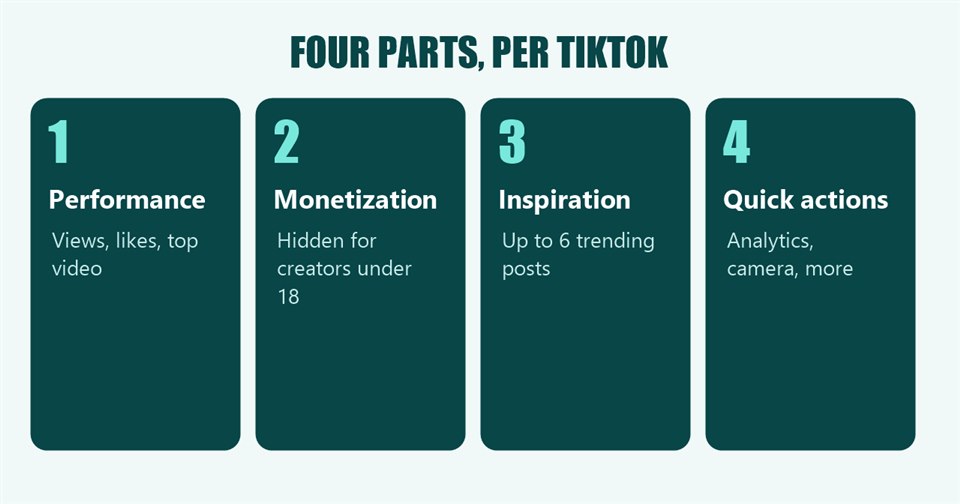
TikTok describes four parts in the TikTok Creator Weekly Report.
1. Personalized performance analytics
TikTok says the report adapts to how the week went, and lists four cases based on the change in views:
- Massive Growth (more than a 100% view increase): the report shows total posts, views, likes and the top-performing video, plus a link to the Creator Assistant.
- Amazing Growth (30% to 100% increase): the report highlights rising stats and prompts the Creator Assistant.
- Steady Momentum (a change between minus 30% and plus 30%): the report shows metrics and offers a prompt to ask the Creator Assistant for trending ideas.
- Building Phase (more than a 30% view drop): the report provides tips, troubleshooting help through the Creator Assistant and a link to the Promote tool.
For a week with no posts, TikTok says the creator sees a reminder and a “Post Now” button.
2. The monetization section
TikTok states this section is “completely hidden for creators under the age of 18.” For others, TikTok describes three versions:
- Just Starting Out: for creators not yet eligible for monetization, the report shows the top 3 programs to work toward and a link to a “Monetization 101” Creator Academy course.
- Eligible but Not Yet Earning: the report shows which programs the creator qualifies for now, with links to join and matching Creator Academy guides.
- Active Earners: the report shows estimated weekly reward total, how earnings changed compared with the previous week, a breakdown of top revenue sources and any new monetization opportunities available to the creator.
3. Creation inspiration
TikTok says the report includes “a curated list of up to 6 real-time trending posts” and highlights breakout creators in the creator’s niche, with a link to the Inspiration Hub.
4. Quick action buttons
Every report ends with one-click actions, per TikTok: a jump to full account analytics, the Creator Assistant, the camera, and the Monetization Center.
TikTok closes its page by saying it has “seen that creators who actively review their performance and use TikTok Studio tools tend to retain their audience and grow more consistently over a 30-day period.” That is TikTok’s statement, and the page does not publish the data behind it.
The Tools the Report Links To, per TikTok
TikTok’s report points creators to several other tools. TikTok’s Creator Academy describes each of them on its own page, summarized here in TikTok’s words.
Creator Assistant
TikTok describes Creator Assistant as “your very own, personalized account manager,” offering “detailed performance reviews, platform support, and even editing tips.” According to the same page, it is available in the US, CA, MX, KR, BR and JP, and in the US and CA creators must have 10k+ followers. This site’s guide to TikTok Creator Assistant covers that page in full.
Promote
TikTok calls Promote “a simple-to-use, in-app ads tool” for getting more followers, amplifying video views or boosting LIVE engagement. TikTok says it is available to creators who are at least 18 years old. For the quickest start, TikTok lists these steps from the video page:
- Click “…” on the video page.
- Click the “Flame” icon.
- Choose a promotion goal: video views, followers or profile views.
- Choose a promotion pack. For custom promotions, set the total budget, duration and audience.
- Check the campaign details and tap “Pay.”
TikTok adds that “creators who use Promote typically see their followers grow faster.” That is TikTok’s statement, and the page does not publish the data behind it.
The Inspiration Hub
TikTok’s Creation Inspiration page says the feature lets creators “scroll through top-performing content examples curated just for you.” In the TikTok app, TikTok lists the path as profile, menu icon, TikTok Studio, then Inspiration and “View all,” with Posts, Topics and Creators tabs. TikTok describes three sections:
- Trending: the current top trending posts, topics and creators, filterable by topic and location. TikTok notes that the Trending Topics tab is currently only available to creators in the US, GB, DE, BR, JP, KR and ID.
- Recommended: content curated for the creator, including posts similar to their own and content their followers viewed and searched for.
- My inspiration: a place to save favorite videos and searches.
The Monetization Center
TikTok’s TikTok Studio page describes the Monetization center as the place to “view your rewards balance, rewards analytics, and monetization program options, as well as our learning resources.”
Where the Creator Weekly Report Sits in TikTok Studio
TikTok’s page on TikTok Studio in the app lists the Creator Weekly Report under Settings, in the Inbox Notifications options. TikTok’s description there: “Get regular performance insights delivered straight to your inbox! Stay updated on how you’re growing and what’s working best.” The same list includes Post Analytics, described as “timely updates on your latest post performance.”
TikTok says creators reach TikTok Studio from their profile by tapping the Menu button and then TikTok Studio, or by tapping the TikTok Studio button under the bio. TikTok adds that the button can only be seen by the creator and does not change how the profile appears to other users.
This site’s guide to four TikTok tools for finding video ideas covers tools related to the Inspiration Hub, and its earlier article on the TikTok Creator Rewards Program covers the monetization side. TikTok’s Creator Academy pages for each tool are linked in the sources below.
What the Page Does Not Say
- Availability by country: TikTok’s page does not list the markets where the report is available.
- Launch date: the page does not say when the report began.
- How earnings are estimated: the page does not explain the method behind the estimated weekly reward total.
- The data behind the retention claim: not published on the page.
Frequently Asked Questions
When does the TikTok Creator Weekly Report arrive?
Every Friday at 00:00 UTC, per TikTok, in the TikTok app inbox and the TikTok Studio inbox.
How long can I view my Creator Weekly Report?
TikTok says it expires and is no longer viewable after 7 days.
Who is eligible for the Creator Weekly Report?
Per TikTok: creators with 1,000 or more followers who posted a public video in the last 7 days, or creators who opened TikTok Studio in the last 30 days and posted a public video in the last 7 days.
Do creators under 18 see the monetization section?
No. TikTok says the monetization section is completely hidden for creators under the age of 18.
Sources: TikTok Creator Academy, Introducing Your TikTok Creator Weekly Report; Creator Assistant; Promote; Creation Inspiration; TikTok Studio in-app; read October 17, 2026.