TikTok Studio: What the App, Web and In-App Versions Offer (2026)
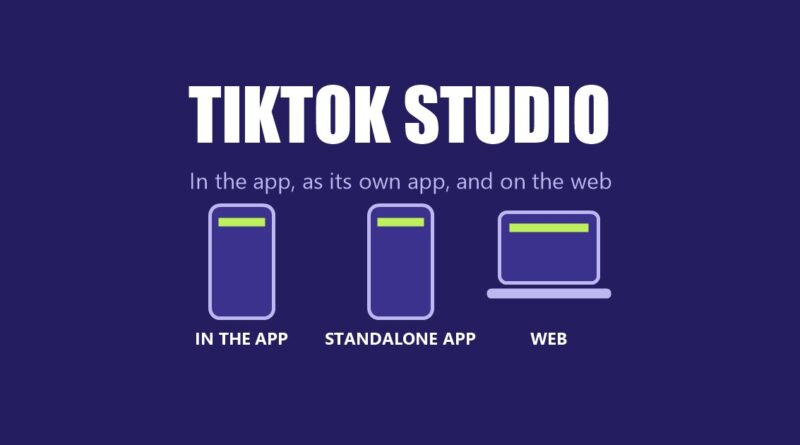
TikTok Studio is TikTok’s creator hub, and TikTok’s Creator Academy describes three ways to use it: inside the TikTok app, as a standalone TikTok Studio app, and on the web. TikTok says the hub lets creators “find content inspiration, dive into advanced analytics, keep track of the rewards you collect, and check out TikTok tips and tricks to fuel your creator journey, all conveniently in one spot.”
This guide reports what four TikTok Creator Academy pages say: Leveling up your content with TikTok Studio In-app, Unleashing your creativity with the TikTok Studio app, Reaching your content goals with TikTok Studio Web and Introducing TikTok analytics. They were read on October 21, 2026. TikTok changes features and eligibility, so everything below is a snapshot of TikTok’s own description. This site adds no advice.
What to know:
- Three versions: inside the TikTok app, a standalone app, and a website, per TikTok.
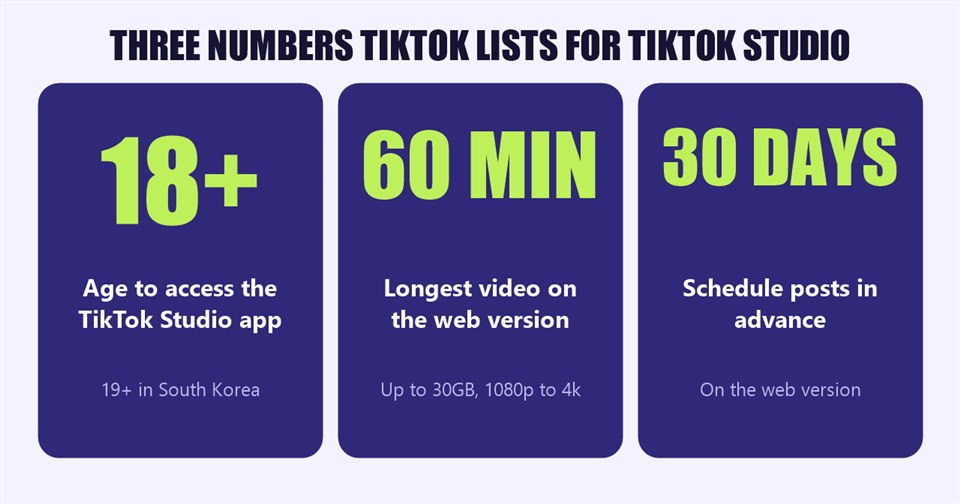
- The standalone app: TikTok says you must be 18 or older (19 or older in South Korea).
- The web version: TikTok says it supports videos up to 60 minutes long and 30GB, and scheduling posts up to 30 days in advance.
- Syncing: TikTok says that after logging in with a TikTok account, account data and some settings sync across both apps.
In this article
What TikTok Studio Is
TikTok’s page on the standalone app calls it “your one-stop shop for everything related to content creation” and says it “helps you stay organized and make high-quality content that stands out.” TikTok says the standalone app is for “a seasoned creator, a newbie debuting your first video, or a small business owner balancing content creation with managing your business.”
TikTok’s page on the web version says the website “has more room, editing features, and content management tools” than the app versions. This site’s guides to the Creator Weekly Report and Creator Assistant cover two features that TikTok places in the hub.
TikTok Studio Inside the TikTok App
TikTok says creators reach TikTok Studio from their profile, either by tapping the Menu button and then TikTok Studio, or by tapping the button under the bio. It adds that this button “can only be seen by you and won’t change how your profile appears to other users,” and that it cannot be removed. TikTok lists these sections:
- Analytics: “insights about your account growth, content performance, audience demographics, audience engagement, and more.”
- Creation inspirations: the top trending topics, posts and creators, plus recommended posts similar to the creator’s own and posts and accounts that the audience viewed.
- Monetization center: a place to view the rewards balance, rewards analytics and monetization program options, with learning resources.
- More tools: Account check (“Check to see if your account is in good standing with our Community Guidelines”), Promote, Benefits and TikTok for Artists.
- Activities: posting campaigns that TikTok says are “designed to help you grow your presence and earn more rewards along the way,” where qualifying posts are tracked automatically.
- Creator Academy: guides, tutorials and tips.
- Create button: a “Start creating” button that opens TikTok’s in-app editing features.
- Settings: ad setting, video sound copyright check, Creation Inspiration settings, Announcement settings, currency display, Display in Creator Spotlight, Submit to Support, and Inbox Notifications for the Creator Weekly Report and Post Analytics.
- LIVE: a LIVE tab at the top for the LIVE center.
The TikTok Studio App
Signing in
TikTok says creators download TikTok Studio from Google Play or the App Store and log in with an existing TikTok account, create a TikTok account by tapping Sign up, or log in through a third-party platform such as Google or Facebook (a TikTok account is still needed with that method). TikTok adds that content created there must adhere to TikTok’s Community Guidelines and Terms of Service, and that “you must be 18 years or older to access the TikTok Studio app (19 years or older for those located in South Korea).”
Account settings
TikTok lists these groups of settings in the app:
- Account: update user information, reset a password, set up an iCloud passkey, request a verification badge, switch to a business account, request to download data, and temporarily deactivate or permanently delete the account. TikTok says deleting or deactivating deactivates or deletes both the TikTok account and the TikTok Studio profile.
- Privacy: account privacy status and interaction features such as comments, mentions and tags, story, duet, stitch, downloads, following list, liked videos, post views, profile views and blocked accounts.
- Security and permissions: account security settings, managing TikTok Studio across devices, saving login credentials, app and service permissions, and browser settings.
- Edit profile: profile name, username and bio, with the option to add a nonprofit to support.
- Content and display, support and about: Activity Center (watch history, comment history, post visibility), language, report a problem, the Help Center, Safety Center and Privacy Center, and terms and policies.
The tools
- Home: an overview of the account and posts, with access to editing tools, analytics, estimated rewards, information about the latest posts, and trending and recommended videos.
- Create: auto captions, a photo editor (“stickers, filters, crop settings, and more”), AutoCut (templates with effects, music and transitions), the device camera, and upload.
- Analytics: Overview, Content and Followers.
- Monetize: estimated rewards for the last 7 days, balance, rewards analytics, programs for you, active programs and Creator spotlight.
- Manage: published and scheduled posts in one place, with search, filter and sort, performance details such as likes, shares and views, and comment tools.
TikTok lists some points to know: if a post is uploaded or deleted in the app, it is also uploaded or deleted in TikTok; on first use, the app needs access to the device’s camera, microphone, photos and videos; and changes to post settings apply across TikTok and TikTok Studio.
TikTok Studio on the Web
TikTok describes these web features in its own words:
- Upload large videos: “videos up to 60 minutes long in 1080p, 2k, and 4k resolution, up to a size of 30GB,” landscape or vertical.
- Bulk upload: “Creators with more than 1k followers can upload up to 30 videos at once.”
- Schedule posts: “up to 30 days in advance.”
- Save drafts: unfinished edits can be saved and managed in one place.
- Create playlists: for creators with over 10k followers, to organize posts by topic.
- Copyright check: TikTok says that if the music in a video infringes on copyright, it will be muted, and the check can be run before posting.
- Editing: trim, splice, record voiceovers and add effects, and build covers by uploading one or selecting a frame.
- Unlimited music: TikTok recommends audio from the Unlimited Sounds Library for long-form content “to prevent your longer videos from being muted.”
- Inspiration: a web section for exploring trends, described as “the top trending videos within different categories,” and tips from creators.
This site’s guides to Playlists, Smart Split and location tags and music copyright and the Unlimited Sounds Library cover two of those features in more detail.
The TikTok Studio Analytics TikTok Describes
TikTok’s analytics page says the analytics can be reached in the app (profile, menu, TikTok Studio, then Analytics and “View all”), on TikTok Studio web (the Analytics tab on the left), or in the standalone app (the Analytics tab at the bottom). Per TikTok, creators select a date range of the last 7 days, 28 days, 60 days, 365 days or a custom report, can only customize the web reporting window back to July 17, 2022, and can download data for up to 365 days at a time.
- Overview: post views, profile views, likes, comments, shares and estimated rewards, plus traffic source and search query data.
- Content: the 10 top-performing videos for the selected period, with retention rate, traffic sources and viewer information for each.
- Viewers: key metrics, viewer insights, most active times, and “your audience also follows” and “also watches.” TikTok says the gender, age and location statistics “are based on predictive models rather than confirmed user data.”
- Followers: demographics such as gender, age and top locations, and when followers are most active.
- LIVE: number of LIVEs, total LIVE views, total LIVE time, new viewers, new followers, unique viewers and Diamonds collected.
For individual videos, TikTok defines three metrics in its own words: retention rate (“the percentage of your video that users watched”), average watch time (“the average duration viewers spent watching your content”) and watched full video (“your finish rate or the percentage of people who watched your content until the last few seconds”).
The Three TikTok Studio Versions Side by Side
- In the TikTok app: reached from the profile menu or the button under the bio; sections include Analytics, Creation inspirations, Monetization center, More tools, Activities, Creator Academy, LIVE and Settings.
- The standalone app: separate download; 18 or older (19 or older in South Korea); Home, Create, Analytics, Monetize and Manage tabs.
- The web: large uploads, bulk upload for creators with more than 1k followers, scheduling up to 30 days ahead, drafts, playlists for creators with over 10k followers, copyright check, editing and an inspiration section.
What TikTok’s Pages Do Not Say
- Countries: the pages do not list where each version is available.
- Launch dates: none of the pages says when each version began.
- Fees: none of the pages mentions a cost.
- Feature differences by version: the pages describe each version separately and do not provide a single comparison table; the side-by-side list above is a summary of what each page says.
Frequently Asked Questions
What is TikTok Studio?
Per TikTok’s Creator Academy, it is a creator hub for content inspiration, analytics, rewards and creation tools, available inside the TikTok app, as a standalone app and on the web.
Who can use the TikTok Studio app?
TikTok says you must be 18 years or older to access the TikTok Studio app, and 19 or older in South Korea.
Can I schedule posts in TikTok Studio?
TikTok says the web version lets creators schedule posts up to 30 days in advance.
Does TikTok Studio sync with the TikTok app?
TikTok says that after logging in, account data and some settings sync across both apps, and that uploading or deleting a post in TikTok Studio also uploads or deletes it in TikTok.
Sources: TikTok Creator Academy, Leveling up your content with TikTok Studio In-app; Unleashing your creativity with the TikTok Studio app; Reaching your content goals with TikTok Studio Web; Introducing TikTok analytics; read October 21, 2026.