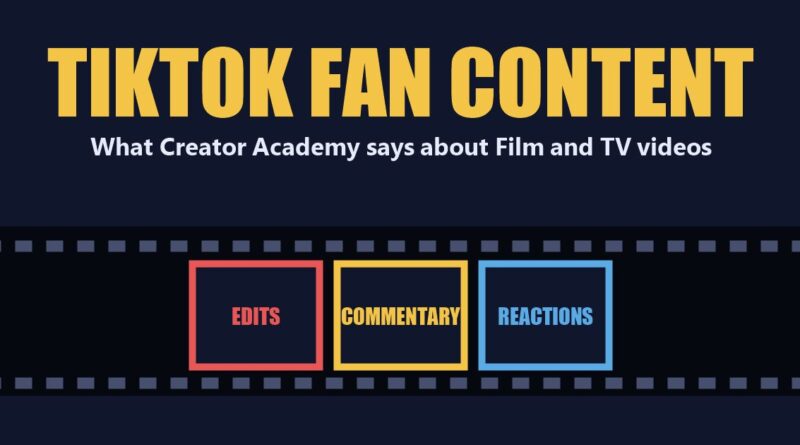
TikTok Fan Content: What Creator Academy Says About Film and TV Edits, Commentary and Reactions (2026)
TikTok fan content about films and TV shows has its own set of Creator Academy pages, and they read like a rulebook for edits, commentary and reaction videos. TikTok opens the main page by saying “Millions of people now come to TikTok to discover their new film or TV obsession, and major studios and streamers are taking note.” The pages say how to make that kind of TikTok fan content, which formats TikTok lists, and where to find clips that are cleared for use.
This guide to TikTok fan content reports five pages: Creating awesome Film & TV content, Finding the perfect film and TV clips with TikTok’s Content library, Becoming a Film & TV edits expert with these best practices, Elevate your Film & TV commentary content with these 4 tips and Creating unforgettable Film & TV reaction content with these best practices. Everything below is what TikTok says on those pages, quoted or closely paraphrased, and nothing is tested or rated here.
TikTok fan content at a glance:
In this article
- The core rule: TikTok says “The majority of your video should be made up of your original commentary,” performances or ideas, so the creator is the star and not the clip.
- Seven formats: narrative, commentary, edits, reaction, cosplay, parody and entertainment news.
- Where clips come from: TikTok’s Content library offers “pre-authorized assets directly from studios” to creators with over 10,000 followers who have shown creativity in Film & TV.
- Three quality points: TikTok says videos should be well-crafted, engaging and specialized.
What TikTok Says TikTok Fan Content Needs
TikTok’s main Film & TV page says that standout content “keeps audiences watching and maximizes your rewards” when it is as high-quality as possible. For TikTok fan content it names “three key points”: well-crafted, engaging and specialized.
1. Well-crafted
TikTok asks creators to “Maintain high production value in every aspect of your video.” That means great lighting, crisp audio, interesting shots and engaging editing, with “special effects and slick transitions.” It also asks for “a diverse selection of high-resolution images and/or clips” to tell a story, a neat background “free of clutter,” and, for green screen, following TikTok’s green screen best practices.
2. Engaging
TikTok says to “Draw in your audience immediately with a memorable hook, a video title, and background music that sets the tone,” and to use “bold captions throughout your video to hold their attention.” Its topic advice for TikTok fan content is to pick subjects the audience cares about, “like trending movies, Hollywood news, or what’s being discussed in your comments,” and to use reply-to-comment to generate ideas. For consistency, TikTok says to “maintain a consistent production style” with the same formats, backgrounds, fonts and video covers, and to add “a few relevant hashtags” so the video is easier to search.
3. Specialized
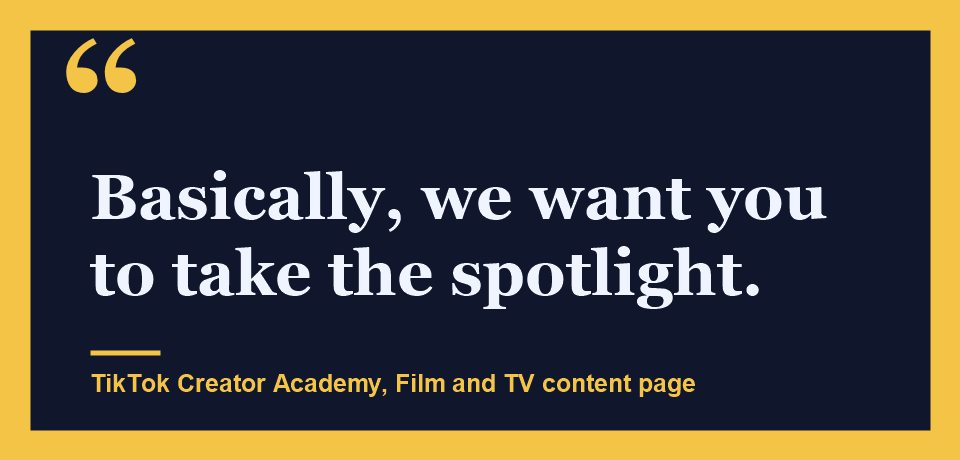
TikTok says “The more you can offer your viewers, the better, so don’t be afraid to go in-depth and share your expertise.” The line that matters most for TikTok fan content is: “The majority of your video should be made up of your original commentary (either on-screen or through voiceover), performances (like cosplay or parody of recognizable film or TV shows), or ideas (like putting a new spin on existing clips by editing them together to tell a different story). Basically, we want you to take the spotlight.” Its pro tip is to draft a script before filming so the commentary stays concise.
The Seven TikTok Fan Content Formats
TikTok’s main page lists “top formats” for TikTok fan content and describes each in a short paragraph:
- Narrative: a “deep dive into films or TV shows,” from a plot explanation in your own words to “an impressive musical recap.”
- Commentary: “insider knowledge of the entertainment industry or unique personal insights,” from recommendations and trending lists to film analysis and on-set stories.
- Edits: new, well-crafted pieces “inspired by your favorite films or TV shows,” made by “reframing or reinterpreting the material.”
- Reaction: creators “appear on camera as they watch a clip and offer their unique, original commentary.”
- Cosplay: costumes, makeup and props that bring characters to life, with the look clearly connected to “a recognizable character, film or TV show.”
- Parody: content that references “a recognizable film, TV show, or genre and highlights your unique point of view,” such as a crossover of two shows or an impression of a villain.
- Entertainment news: “the biggest film and TV updates on premieres, the cast, awards, reviews, and celebrity insider scoops.” TikTok says timely news “can increase your chances of being shared” and points to Creator Search Insights to check what is popular.
TikTok has separate pages for narrative, cosplay, parody and entertainment news that this guide does not cover. The three formats with their own pages here are edits, commentary and reactions.
The Content Library for TikTok Fan Content
TikTok’s Content library is the tool the pages point to for clips. TikTok says it gives creators access to “loads of pre-authorized assets directly from studios,” so they can make edits, commentary and reaction content “without running into copyright issues.” The clips are “film and TV clips for you to download and use on TikTok.”
Who can use it and where to find it
TikTok says the Content library “is available to creators who have over 10,000 followers and have shown creativity in the Film & TV sector on TikTok.” In the app, the path is Profile, then TikTok Studio, then “More Tools,” then Content library. On TikTok Studio web, TikTok says to “Find the Content library tab under ‘Tools’ on the side panel.”
Searching and filtering
TikTok lists four ways to narrow the search: search by title, filter by genre and asset type, sort by name and release time “to find clips that can help keep your content relevant,” and view videos related to a clip “to see what other creators are creating and spark ideas.” When a clip is selected, TikTok says a creator can also view its relevant hashtags.
Authorized clips still need an original spin
TikTok adds a warning: “even when using authorized film and TV assets, your content still needs to be original.” To avoid videos being flagged or taken down, it suggests “reacting with original commentary to trailers, making fan edits, or using shorter cuts to explore a larger theme,” and says “You should appear on screen or include your original voiceover for the majority of your video.” The page ends with a task: open the Content library, filter by a title the audience already talks about, and save three clips you could react to this week.
TikTok Fan Content Edits: Nine Styles and Five Best Practices
TikTok’s edits page says “A strong edit goes beyond simply showcasing clips by reframing and reinterpreting material to deliver a fresh narrative, emotional connection, or thematic tribute.” It lists nine edit styles, each with an example from TikTok:
- Compilation: a series of clips or images with a common theme, such as the cast of a trending TV show “in their first role and now.”
- POV: a specific perspective backed by footage, such as “This movie teaches us about the power of friendship.”
- Plot: anything from quick edits with a storyline, like following one couple through a season, to combined plots such as “What if these enemies became lovers?”
- Dialogue: lines from films and shows that highlight a character or emotion, such as “The 5 saddest breakup lines in movies.”
- Character: mash-ups of favorite stars or characters with themes like looks from different time periods or “the hottest TV dads.”
- Emotion: footage, lines and music that express a theme like yearning, love or jealousy.
- Aesthetic: original film scenes and background music that enhance a film’s vibe.
- Creative: advanced effects to show off editing skills.
- Mood: a high volume of footage edited to the music’s beats or rhythm.
The page then gives five best practices for TikTok fan content in the edits format:
- Present a cohesive theme or emotional throughline. TikTok says an edit “should tell it’s own story” and that text or titles can hook viewers. For beginners it suggests “simple styles like recap compilations or dialogue edits,” and it says to “Stay away from spoilers, and avoid using long, unedited clips.”
- Incorporate 3+ unrepeated video clips. Keep the aspect ratio, color grading and editing style consistent, start with the most exciting clips, and do not let one clip make up the majority of the video. TikTok also says to avoid “excessive manipulation of the original footage, especially in ways that alter the likeness of talent or misrepresent characters.”
- Use numerous, complex transitions. TikTok says “more than just swipes, slides, and zooms” can help a video stand out, suggests browsing templates on the in-app creation screen, and mentions CapCut Desktop for more elaborate edits.
- Create a polished audio experience. For emotion, mood or aesthetic edits, TikTok suggests music, sound effects, voiceover or rhythmic cutting. For voiceover it gives three points: hook the viewer in the first three seconds, keep it well-paced and emotionally resonant, and clearly articulate your perspective.
- Respect creative and legal boundaries. TikTok says creators should “only use content they own or have clear permission to use,” keep the content “transformative, respectful,” and not “mislead viewers, distort context, or use content inappropriately.”
TikTok’s Creator Academy account posted a video for the edits format on September 26, 2024, with the message “Leave your viewers wanting more with edits fan content!” TikTok embeds it at the top of its edits page:
Watch on TikTok: @creatoracademy
Commentary for TikTok Fan Content: Six Styles and Four Tips
TikTok opens its commentary page with “Want to feel like a Hollywood insider? Commentary content is your shot!” It lists six styles:
- Film List Compilations: a themed list such as “Best Disaster Movies.”
- Reviews or Critiques: for example reviewing a director’s latest work or “comparing film adaptations to the original work or book.”
- Trending Lists: trending films or shows organized by a theme, such as the movies coming out this year that you can’t wait to see.
- Stories and Fun Facts: “exciting stories from the set or little-known fun facts.”
- Film Knowledge: professional industry knowledge about film production.
- Film Analysis: an in-depth look at “plot, setting, themes, costumes, dialogue, historical context, and more.”
TikTok’s four tips for commentary-style TikTok fan content are:
- Go beyond the plot. Offer “something new, such as storyline breakdowns, easter egg explanations, or celebrity anecdotes,” or production deep dives on the director’s vision, filming techniques and locations. TikTok says “Your dialogue or voiceover should make up the majority of your video.”
- Release your inner critic. TikTok says “Your strongest entertainment opinions are welcome here” and encourages creators to invite comments, which can feed the reply-to-comment feature.
- Get another POV. Consider “an interview with or including quotes from those directly involved” in the film or show.
- Add some razzle dazzle. Use green screen, stickers, subtitles, annotations or charts, placed strategically for “a clean layout.” TikTok names in-app effect templates called “TV Ranking” and “Movie vs Movie.”
The Creator Academy account also posted a commentary video on September 27, 2024, opening with “Want to feel like a Hollywood insider? Commentary content is your shot!” It is the video embedded on the commentary page:
Watch on TikTok: @creatoracademy
Reactions for TikTok Fan Content: Three Styles and Eight Best Practices
TikTok describes the reaction format as one that involves “putting you on camera, watching the buzziest film and TV trailers, clips, and more, and giving your immediate, in-the-moment response.” It adds that these videos “allow you to build a genuine emotional connection with your audience.” TikTok lists three styles:
- “Emotion” reactions: capture the moment a favorite couple kisses for the first time, with “every squeal, giggle, and scream.”
- “Critique” reactions: a more professional look at trending entertainment, covering questions like how the special effects look and whether the casting is what you imagined.
- “Challenge” reactions: an interactive element such as the “try-not-to-laugh” or “blindfold” challenge.
The page gives eight best practices for reaction-style TikTok fan content:
- Add your original insights. TikTok says commentary needs to “make up the majority of your video,” that filler words like “OMG” or “yes” are not enough, and that the commentary also needs to be the majority “to comply with our monetization policies.”
- Hook viewers in the first 3 seconds. Do not rely on the climactic moment of the clip. Use in-app text, voiceover and a strong narrative, and keep the cover “simple and accurate.”
- Use high-quality visuals. Clear, high-res images and clips, and no shaky footage or blurry images.
- Pay attention to audio composition. “When you’re providing commentary, pause the clip you’re watching,” avoid long silences, and add commentary at the beginning, middle and end.
- Be authentic. Choose a clip, trailer or topic that really sparks something, so the reaction is genuine.
- Get interactive. Add challenges, invite other creators to join, or ask the audience to share their own responses in the comments.
- Use authorized IP. TikTok points to the Content library or Creator Activity Pages “to download authorized trailers and clips.”
- Elevate your content with extra editing. Subtitles, text and images, green screen and split screen, and TikTok Studio’s editing tools.
For reactions, the Creator Academy account posted a video on September 25, 2024, saying “Spark conversations that extend far beyond the screen with reaction fan content!” It is the video embedded on the reaction page:
Watch on TikTok: @creatoracademy
What TikTok’s Pages Do Not Say
Several details are not on the five pages. The Content library page does not say which studios or titles are included, how clips are added or removed, or whether any region is excluded. It gives the 10,000 follower line and the “shown creativity in the Film & TV sector” condition but does not say how that is measured. The pages do not give a share of a video that counts as “the majority,” and they do not state a payout or reward amount for TikTok fan content, only that commentary has to be the majority to meet the monetization policies. They also report no results from following any of the tips.
Other guides built on TikTok’s Creator Academy that touch on making this kind of video: CapCut for TikTok, TikTok audio tips, TikTok filming tips, Creator Search Insights, TikTok Studio and adding songs without getting muted.
Frequently Asked Questions
What is TikTok fan content?
Per TikTok’s Creator Academy, TikTok fan content about films and TV is content such as edits, commentary, reaction videos, cosplay, parody and entertainment news that creators make about movies and shows. TikTok says the majority of the video should be the creator’s own commentary, performance or ideas.
Where can creators get clips for TikTok fan content?
TikTok points to its Content library, which it says offers “pre-authorized assets directly from studios.” The Content library is available to creators with over 10,000 followers who have shown creativity in Film & TV, and it is found in TikTok Studio under More Tools in the app or under Tools on the web.
What edit styles does TikTok list?
TikTok lists nine: compilation, POV, plot, dialogue, character, emotion, aesthetic, creative and mood.
Can a reaction video just show the clip and a reaction?
TikTok says no. It says reaction content “is more than just your facial expressions” and that insightful commentary needs to make up the majority of the video.
Does using authorized clips mean a video is safe from takedown?
Not by itself. TikTok says “even when using authorized film and TV assets, your content still needs to be original” and suggests putting your own spin on the clips to avoid being flagged or taken down.
Sources: Film & TV content, Content library, edits, commentary and reaction pages on TikTok’s Creator Academy, read November 16, 2026. This guide reports what TikTok says and does not test the tools.